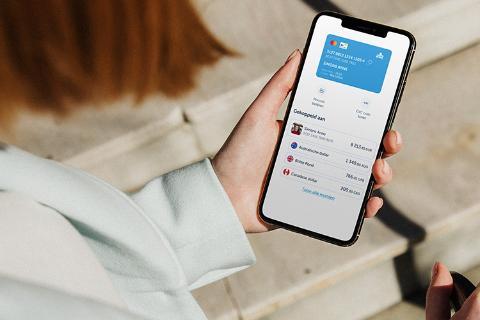

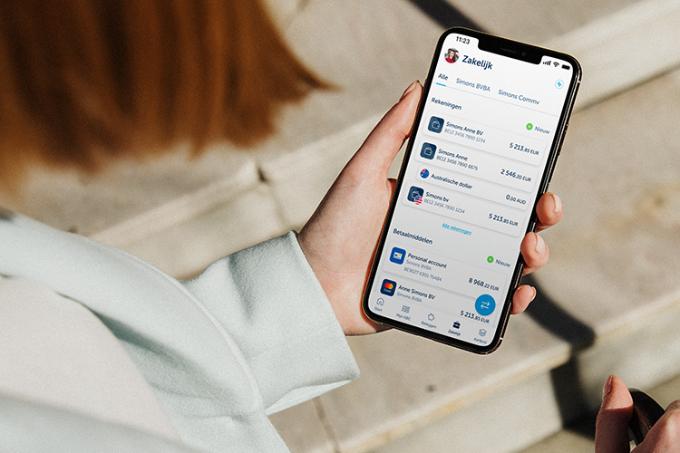
Multi-currency capabilities for your business
Free feature with your business account
- Avoid exchange fees (up to 1 500 euros per month)
- Pay like a local with your debit card (unlimited and free of charge)
- Make transfers at no cost (up to the equivalent of 1 500 euros per transaction)
Pay in 30 other currencies at better rates and with more transparency
If you engage in international business, you’ll know that exchange fees can quickly add up, often leaving you with a nasty surprise on your statement.
If you want more clarity and lower costs, just use our free multi-currency feature:
- No exchange fees (up to 1 500 euros per month)
- If you go over the monthly limit, you’ll only pay a standard 1% exchange fee
What’s more, the good news is that you don’t need a new account – it’s a free feature with your business account. All you have to do is open a separate ‘money jar’ in KBC Mobile or KBC Touch to keep other currencies besides euros.
Say goodbye to high exchange fees
Going on a business trip? Exchange your currency in advance and make payments without incurring unnecessary fees.
How it works
Choose a foreign currency to add to your business account in KBC Mobile or KBC Touch.
Exchange euros for the currency of your choice (instant and 24/7 at the current exchange rate).
Pay abroad in that foreign currency using your business debit card. Unlimited and free of charge – giving you the ability to pay like a local. You can make international transfers in that currency at no cost (up to the equivalent of 1 500 euros per transaction).
How does it differ from payments in euros?
Suppose you have to pay a bill of 25 000 CZK (or roughly 1 000 euros):
Using your euro account
- 10 EUR in exchange fees
- 10 EUR in payment fees
- 60 EUR in correspondent’s charges
Using your foreign currency sub-account
- 0 EUR in exchange fees
- 0 EUR in payment fees
- 0 EUR in correspondent’s charges
* Calculated based on market rates at a specific time.
Free with your KBC Business Pro Account
Want to spend less on making payments in other currencies? At KBC, it’s a standard feature on your business account.
All the options open to you
If you exchange more than 1 500 euros for foreign currencies in a single month, you pay a fixed 1% exchange fee on the additional amount.
You can make international transfers at no cost, provided that the payee’s account can receive this currency. For example, if you transfer British pounds sterling to a US dollar account, additional exchange fees will be charged. If you carry out an international transfer exceeding 1 500 euros, you pay a fee of 0.121% (with a minimum charge of 9.68 euros and a maximum of 145.20 euros). Important: the correspondent bank abroad may still charge additional fees for international transfers of less than the equivalent of 1 500 euros.
If you withdraw cash abroad, charges may be levied by the foreign provider operating the ATM in question.
Pay like a local
Business lunch in London? Pay with your debit card and the amount will be debited automatically from your foreign currency account.
What foreign currencies can I add to my business account?
You can add 30 different currencies at present:
- United Arab Emirates dirham (AED)
- Australian dollar (AUD)
- Canadian dollar (CAD)
- Swiss franc (CHF)
- Chinese yuan (offshore) (CNH)
- Czech koruna (CZK)
- Danish krone (DKK)
- British pound sterling (GBP)
- Hong Kong dollar (HKD)
- Hungarian forint (HUF)
- Israeli new shekel (ILS)
- Indian rupee (INR (A))
- Jordanian dinar (JOD)
- Japanese yen (JPY)
- Kenyan shilling (KES)
- Kuwaiti dinar (KWD)
- Moroccan dirham (MAD)
- Mexican peso (MXN)
- Norwegian krone (NOK)
- New Zealand dollar (NZD)
- Polish zloty (PLN)
- Rumanian leu (RON)
- Saudi riyal (SAR)
- Swedish krona (SEK)
- Singapore dollar (SGD)
- Thai baht (THB)
- Tunisian dinar (TND)
- Turkish lira (TRY)
- US dollar (USD)
- South African rand (ZAR)
Do I need a separate card for this service?
No, you can use your existing KBC Business Debit Card. Be sure to check your card settings in KBC Mobile:
- Log in to KBC Mobile
- Tap ‘My KBC’
- Scroll to ‘Means of payment’ and select your debit card
- Tap ‘Making payments abroad’
- Activate the ‘Pay in a foreign currency’ option if you want to pay in a foreign currency with your debit card
Do I still need my business credit card?
If you’re going on a business trip, it’s a good idea to have a credit card to fall back on as some retailers only accept credit cards. And when staying at a hotel or renting a car, you may need to use your credit card to temporarily block an amount as a guarantee.
Can I also add foreign currency to my KBC Basic Account or KBC Plus Account?
Yes, that’s perfectly possible. Find out more.
If you can’t find what you’re looking for, feel free to call the helpdesk on 016 43 25 19.