
Submit your medical expenses with the help of Kate
1. Log in to KBC Mobile and tap the Kate search bar at the top of your screen (download KBC Mobile)
2. Ask Kate for ‘my hospitalisation file’
3. Select the hospitalisation file for submitting expenses and provide us with the necessary documents. The expenses in question are processed as soon as KBC receives the hospital bill

My care and expenses quickly dealt with through KBC Mobile and Kate
Thanks to KBC Mobile, our free smartphone app, you always have a clear overview of all your insurance products. And that's not all. You can:
- Quickly and easily report a hospital admission and submit your expenses digitally
- Always have your AssurCard number and AssurPharma barcode at your fingertips
- Rely on your digital assistant Kate to help you 24/7
How do I report a hospital admission with Kate?
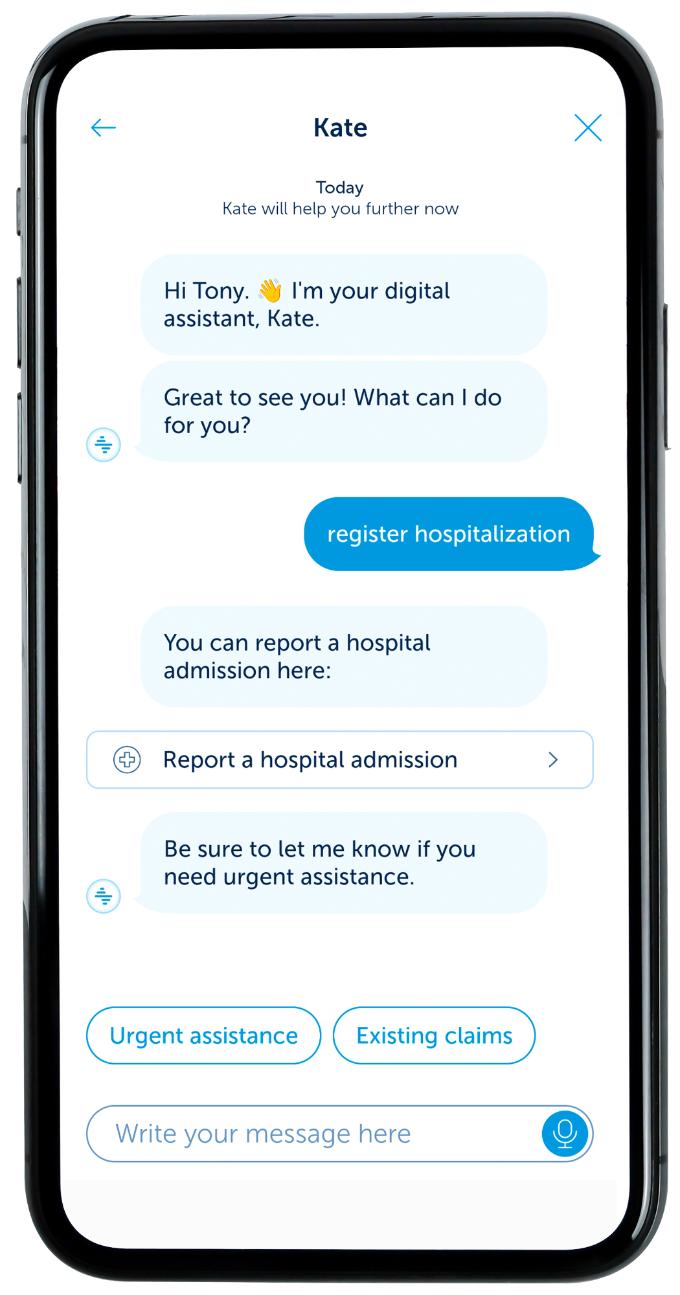
- Log in to KBC Mobile and tap the Kate search bar at the top of your screen (download KBC Mobile)
- Ask Kate to ‘file a hospitalisation claim’
- Follow the instructions
You can find out more about hospital admissions in this video.As soon as you report your hospitalisation, you will see whether or not it is covered.
If you don’t have KBC Mobile, file the claim by calling + 32 16 24 24 24 and then selecting the 'hospitalisation' option (service available Monday to Friday from 8 a.m. to 12 noon and 1 p.m. to 5 p.m.).
You must always file a claim by phone in the event of a serious illness not involving admission to hospital. The list of serious illnesses that are covered can be found in the general conditions.
After opening the file, you can submit your medical expenses via the KBC Mobile app.
How can I submit and track my expenses?
What documents do I need for submitting my medical expenses?
- Hospital bill:
If you used your AssurCard number at the time you were admitted to hospital, they will send the admission invoice directly to KBC Insurance, which then pays it. You don’t have to do anything else in this regard. - If you didn’t use an AssurCard number at the time of admission, you will receive the hospital bill at home and have to pay it yourself. After paying it, send us the invoice via the app.
Pharmacy expenses:
- Preferably use our AssurPharma barcode at the pharmacy to ensure that all the relevant information is sent directly to KBC Insurance.
- If you don’t have an AssurPharma barcode with you, ask the pharmacist to provide a certificate for insurance purposes and send it to us via the app.
- All other medical expenses (for consultations, physiotherapy, lab tests, etc.) can also be submitted via KBC Mobile. Scan in the original invoice along with the overview of expenses reimbursed by your health insurance fund (statement of social security reimbursements).
If you don’t have KBC Mobile, e-mail the supporting documents to claims@kbc.be or send them by post to KBC Insurance, Hospitalisation Claims Settlement Department, R. Van Overstraetenplein 2, 3000 Leuven.
Remember to always state your file number (your reference).
How do I request urgent medical assistance abroad?
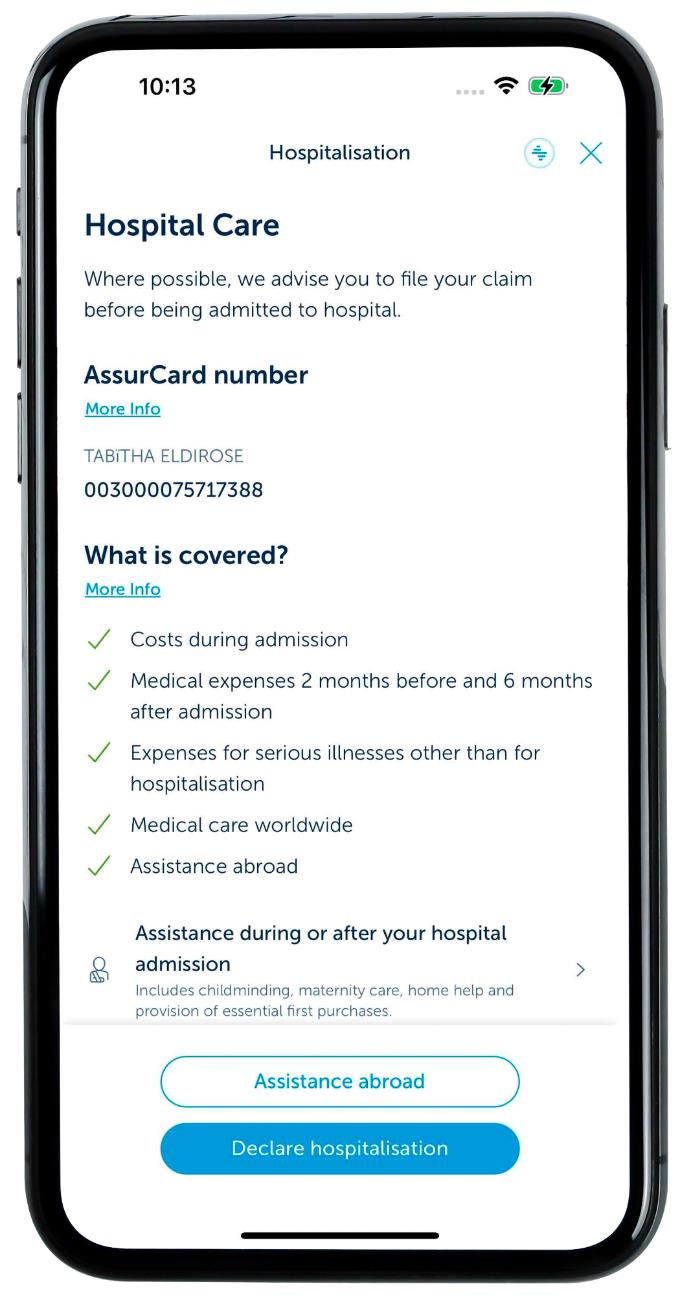
Submit your claim right away.
The quickest way to do so is in the KBC Mobile app, as you’ll be connected directly to our assistance helpline (available 24/7).
If you don’t have KBC Mobile, call + 32 16 24 24 24 and select option 1 ‘assistance’.
The staff manning our assistance helpline will then help you and, if necessary, arrange repatriation to Belgium.