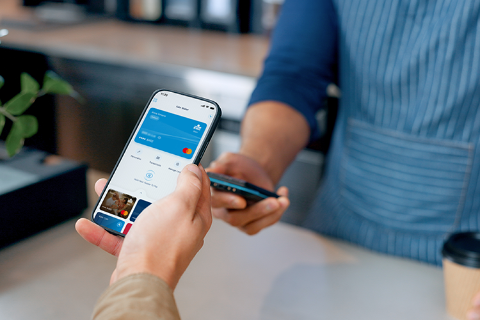

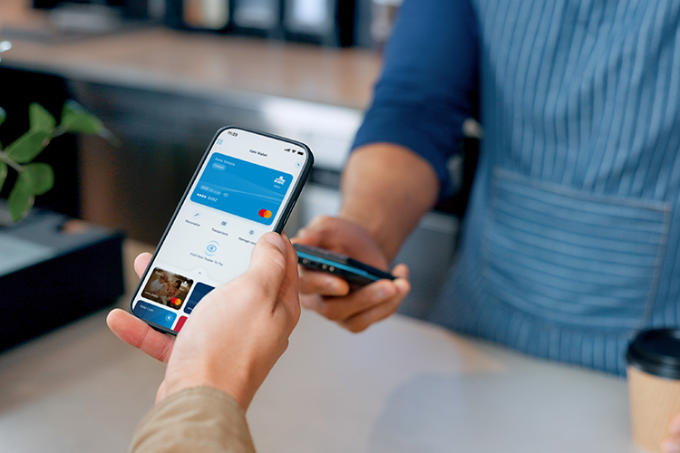
Kate Wallet, your digital wallet in KBC Mobile
- Pay by contactless with your phone
- Save KBC payment cards, loyalty cards and tickets in one place
- Identify your cards by their name or photo and quickly check your balance
What is Kate Wallet?
Nobody likes fumbling around for the right ticket while you’re out and about, and you want to pay quickly once you’re at the till. That’s why Kate Wallet, the digital wallet in KBC Mobile, keeps your KBC payment cards, loyalty cards and tickets together in one place. This means you can pay by contactless with your phone and spend less time searching through different apps, cards and tickets.
Your whole wallet in one place in KBC Mobile
Pay by contactless with your phone
When I’m out cycling, I prefer to carry as little as possible. Kate Wallet means I can still decide to grab food or a drink after my ride and simply pay with my phone.
Jules, 28
More than just payments
Payments aren’t all Kate Wallet can do. If you currently have to sort through all kinds of different cards and apps, you digital wallet allows you to have everything neatly organised in KBC Mobile for use while you’re on the go.


All your tickets in one place
Active tickets from supported services in KBC Mobile will automatically appear in Kate Wallet. These include transport tickets from De Lijn and NMBS or parking tickets you’ve bought via KBC Mobile. This lets you find your tickets quickly, even if you’re not connected to the Internet.
You can still buy tickets using Additional services in KBC Mobile.
FAQs about Kate Wallet
What is a digital wallet?
A digital wallet is an app that lets you store payment and loyalty cards, tickets and other cards on your phone. This means you need fewer physical cards and you can find what you’re looking for more quickly. Kate Wallet lets you store your digital wallet directly in KBC Mobile.
What do I need to use Kate Wallet?
Kate Wallet is integrated into KBC Mobile. You don’t need to download a separate wallet app. To make contactless payments with Kate Wallet, you’ll need:
- A phone that supports NFC
- A KBC payment card linked to a KBC current account
If you don’t have a KBC payment card, you can still use Kate Wallet for your loyalty cards and active tickets in KBC Mobile.
Where can I find Kate Wallet and how do I get started?
You can find Kate Wallet in various places within KBC Mobile:
- On the login screen
- On your start screen, under ‘For you’
- On the ‘Offers’ page
The first time you use it, you’ll go through a quick activation process. Your available KBC payment cards and existing loyalty cards will then be automatically added to Kate Wallet. If you apply for a new payment card later, you can easily add it to Kate Wallet.
If you set Kate Wallet or KBC Mobile as your default payment app, you can also open the wallet quickly using your device’s shortcut keys, such as double-clicking the side button on your iPhone or via Quick Settings on Android.
If you can’t see Kate Wallet, start by installing the latest version of KBC Mobile
How do I make contactless payments with my phone using Kate Wallet?
Contactless payments allow you to use your phone just like a payment card. Your phone must support NFC technology and this must be enabled. Open Kate Wallet and select your KBC payment card. Authenticate, then hold your phone against the payment terminal to make a contactless payment.
Your payment is made securely via KBC Mobile and uses your device’s security features, such as facial recognition, your fingerprint or your passcode. In addition, your KBC payment card remains protected by KBC’s security measures.
If you set Kate Wallet as your default payment app, certain devices will allow you quicker access to your payment cards via your phone’s shortcut keys.
Would you like make NFC-enabled contactless payments with Kate Wallet?
First, authorise KBC Mobile for contactless payments on your device. If you would you like to access your payment cards even faster, set Kate Wallet as your default payment app. Open Kate Wallet, select ‘Set as default payment app’ and follow the steps on your device.
You can also make payments with Kate Wallet even if it isn’t set as your default payment app. In that case, open Kate Wallet first before you pay.
For iOS, you’ll need version 17.4 or later. For Android, you’ll need version 9 or later.
Can I store and use loyalty cards in Kate Wallet?
Yes, you can. In Kate Wallet, you can store and use your loyalty cards digitally. Add a loyalty card by scanning the barcode or QR code, or by entering the card number. If you’ve already saved loyalty cards in KBC Mobile, they’ll appear in Kate Wallet automatically.
Open your loyalty card in Kate Wallet and scan the barcode or QR code at the till like you would with a physical loyalty card. Even without an internet connection, you’ll always have your loyalty cards available.
Can I save tickets on my phone in Kate Wallet?
Yes, you can. Active tickets from supported services in KBC Mobile will automatically appear in Kate Wallet. such as your:
- SNCB
- De Lijn
- 4411
- Other services
This means you’ll always have your tickets to hand, even without an internet connection. You still buy your tickets via Additional services in KBC Mobile.
Would you like easier access to what you need in KBC Mobile?
Open Kate Wallet and discover how to make faster payments, find your cards more easily and spend less time searching.
Kate’s always on hand to help! Go ahead and ask your question.