
- Kate is available 24/7
- Kate uses various sources of information and searches through MyNWS as well as the information you can find on the KBC website
- Kate protects your privacy*
* If you want to know how Kate handles your data, be sure to take a look at our data protection statement.
Kate can quickly help out with:
- I’ve forgotten my PIN
- Adjust my limits
- I want to buy a bus ticket

When you’re really in a rush, Kate is there for you. Try saying the following:
- I’ve forgotten my PIN
- Adjust my limits
- I want to buy a bus ticket

Kate knows KBC Mobile inside and out, so don't waste time searching on your own, Kate it! For example, you can tell Kate to:
- Show my certificate of insurance
- Check if Elena has paid me back yet
- Register my parking session at 4411
- Show my certificate of insurance
- Check if Elena has paid me back yet
- Register my parking session at 4411
- Apply for a credit card
- Work out a home loan
- Take out travel insurance

Got a question about KBC products? Kate has the answers. Try the following instructions in the text field:
- Apply for a credit card
- Work out a home loan
- Take out travel insurance

If you want to be sure you’re not forgetting anything, Kate is happy to keep you on top of things. You can set up notifications* for when:
- A payment is scheduled soon
- You need to review your home insurance
- Your account balance is low
*Push notifications from KBC Mobile can also be configured in your settings in KBC Mobile.
If you want to be sure you’re not forgetting anything, Kate is happy to keep you on top of things. You can set up notifications* for when:
- A payment is scheduled soon
- You need to review your home insurance
- Your account balance is low
*Push notifications from KBC Mobile can also be configured in your settings in KBC Mobile.
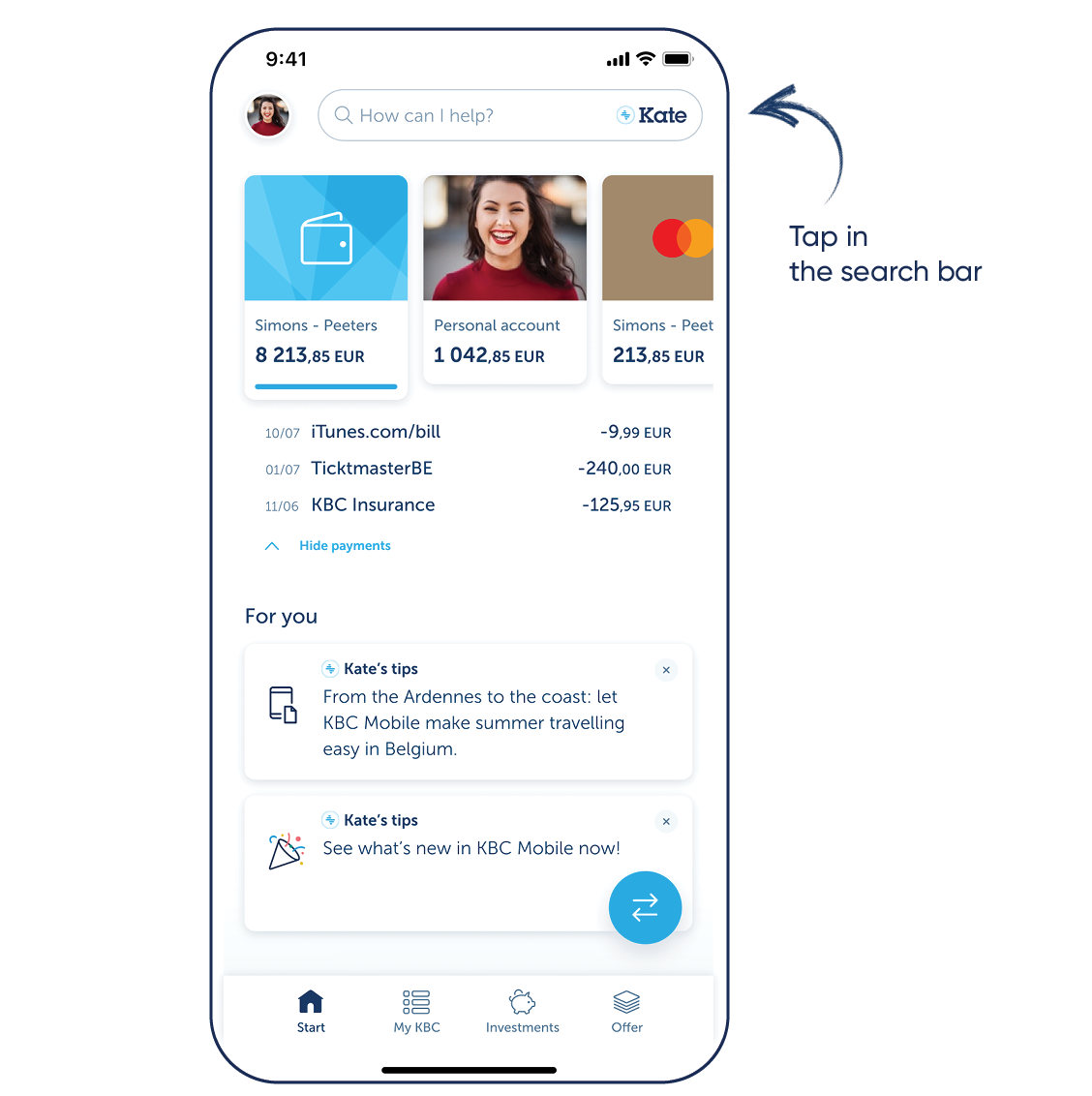
Want to try Kate but don't have KBC Mobile?
For Android
Step 1: Scan the QR code shown and install KBC Mobile or go to Google Play on your phone and install KBC Mobile
Step 2: Log in to KBC Mobile and tap the search bar at the top
For iPhone
Step 1: Scan the QR code shown and install KBC Mobile or go to the App Store on your phone and install KBC Mobile
Step 2: Log in to KBC Mobile and tap the search bar at the top
Download KBC Mobile
Open the app and follow the instructions. Tap the search bar at the top to talk to Kate.

Download KBC Mobile
Open the app and follow the instructions. Tap the search bar at the top to talk to Kate.

Frequently asked questions
What information does Kate use to answer my questions?
Kate consults several sources, such as:
- All the information on KBC products found on the website
- Informative articles that you can read via MyNWS in KBC Mobile
- The details needed to answer your question (i.e. your transaction history if you ask Kate to look up a payment)
Protecting and respecting your privacy is one of KBC's top priorities. You can read more about this in our Data Protection Statement.
Wil je meer informatie over Kate Coins? Bekijk dan onze FAQ-pagina.
If you’d like to learn more about Kate Coins, check out our FAQs.
The Kate Coin benefits programme is only available to KBC customers who have opted for ‘personalised’ commercial offers in KBC Mobile and hold a current account at KBC.