


Pay abroad with Kate
- Make payments abroad with peace of mind, even outside Europe
- Sorted immediately, without searching or waiting
- Available 24/7 in KBC Mobile, even if the taxi driver is waiting impatiently
How to ask Kate:
- Open KBC Mobile and start a conversation with Kate.
- Ask your question in plain language, for example: ‘Kate, activate my card for use abroad.’
- Kate will show you the way in KBC Mobile.
- Pick the card you need, the region you want to be able to pay in and the time period.
- Confirm the change with your PIN, fingerprint or facial recognition.
Want to try Kate but don't have KBC Mobile?
For Android
Step 1: Scan the QR code shown and install KBC Mobile or go to Google Play on your phone and install KBC Mobile
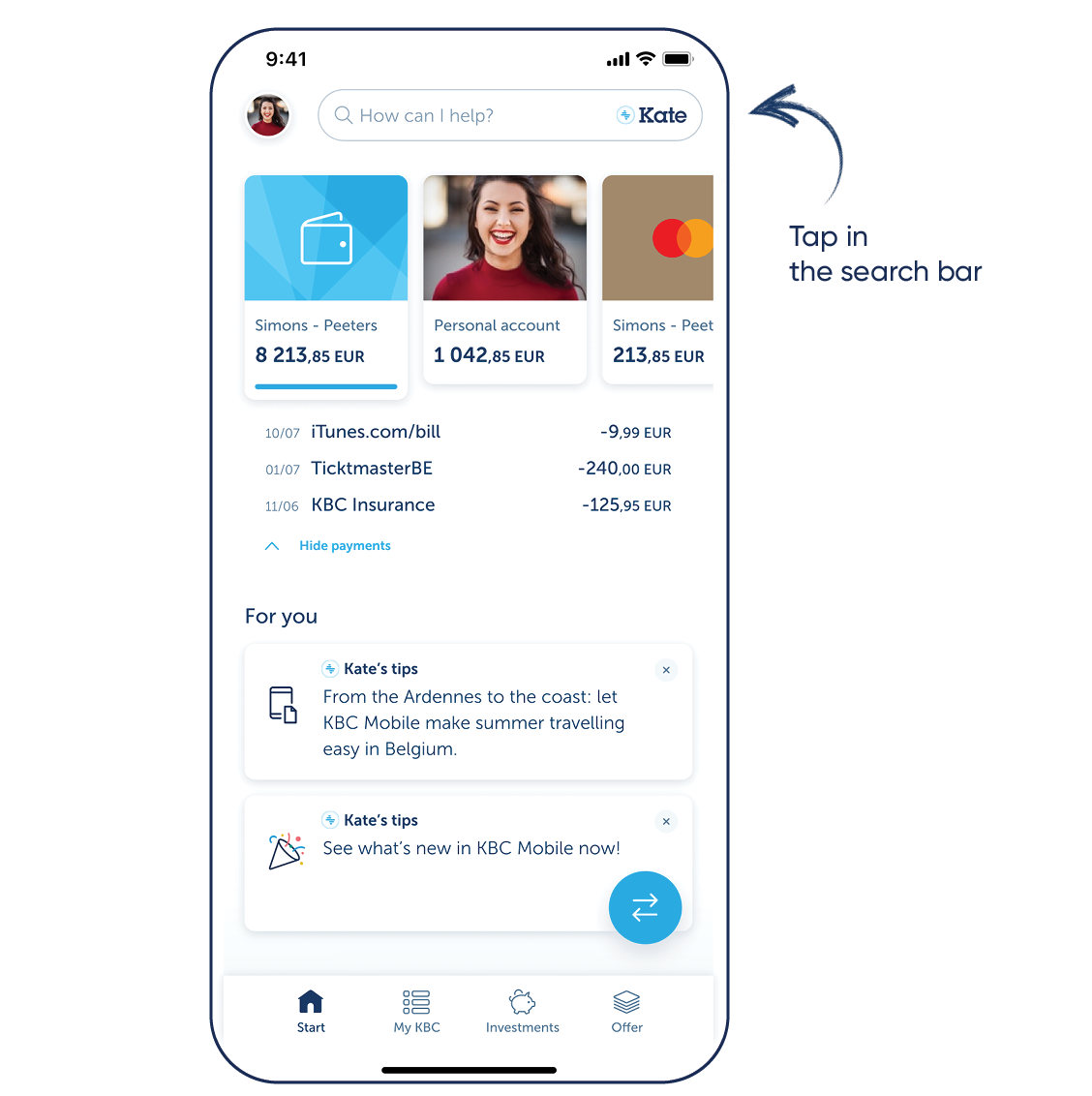
Step 2: Log in to KBC Mobile and tap the search bar at the top
For iPhone
Step 1: Scan the QR code shown and install KBC Mobile or go to the App Store on your phone and install KBC Mobile
Step 2: Log in to KBC Mobile and tap the search bar at the top
Download KBC Mobile
Open the app and follow the instructions. Tap the search bar at the top to talk to Kate.

Download KBC Mobile
Open the app and follow the instructions. Tap the search bar at the top to talk to Kate.